By MagzSoftware
Saturday, April 28, 2012
4Videosoft DVD to Audio Suite for Mac is one advanced and multi-functional Mac DVD to Audio Converter which covers DVD Audio Ripper for Mac and All Music Converter for Mac.
This powerful Mac Video to Audio Converter possesses the function of converting DVD to MP3, AAC, AC3, AIFF, AMR, AU, FLAC, M4V, MP2, OGG, WAV, WMA audio files on Mac and converting video to audio, audio to audio on Mac, even HD video to audio files with fast conversion speed.
 |
| 4Videosoft DVD to Audio Suite for Mac Interface |
Key Features of DVD to Audio Suite for Mac :
- Convert DVD to MP3 on Mac - 4Videosoft DVD to Audio Suite for Mac has the ability to convert DVD to MP3, AAC, AC3, AIFF, AMR, AU, FLAC, M4V, MP2, OGG, WAV, WMA audio files on Mac.
- Convert video to audio, audio to audio on Mac - Transfer video or audio files to AAC, AC3, AIFF, AMR, AU, FLAC, MP3 etc formats on Mac.
- Set audio parameters - Adjust audio settings by changing Encoder, Sample Rate, Channels, Audio Bitrate and all those parameters can be saved as user defined profile for your future use.
- Trim function - Select any time-length audio by dragging the slider bar or filling the start and end time in blank.
- Output one file to several formats simultaneously - 4Videosoft DVD to Audio Suite for Mac provides you with the magic function of converting one source file to different output formats with only one conversion.
System Requirements:
- Processor: Intel ® processor
- OS Supported: Mac OS X 10.4 or above
- Hardware Requirements: 512MB RAM, Super VGA (800×600) resolution, 16-bit graphics card or higher
Download 4Videosoft DVD to Audio Suite for Mac
By MagzSoftware
Monday, March 12, 2012
If you need a DVD ripper for Mac, I suggest you to try this Mac DVD tool.
4Videosoft DVD Audio Ripper for Mac is created especially for
Mac users. As an profesional DVD Audio Ripper, it allows you to easily and conveniently rip any DVD to audio, rip DVD to MP3 audio, DVD to M4A, WMA, etc.
With this ripper you can trim any-length DVD audio from the source DVD by setting the exact start and end time. You can set the wanted audio track for your output audio. Moreover, you can select player suite
Audio Encoder,
Sample Rate,
Channels,
Audio Bitrate. You can save all settings as user-defined for your future use freely.
 |
| 4Videosoft DVD Audio Ripper for Mac |
Perhaps you need to privew the original DVD movies or make any snapshot of the favorite images,
4Videosoft DVD Audio Ripper for Mac allows you to do that conviniently. With its intuitive and user friendly interface lets you make the conversion easy to operate, no matter you're advanced or beginner user.
File Format Reference :
Support Input :
- DVD : DVD disc, DVD folder, IFO file
Support Output :
- Audio : AAC, AC3, AIFF, AMR, AU, FLAC, M4A, MKA, MP3, MP2, OGG, WAV, WMA
- Snapshot Image : JPEG, GIF, BMP
System Requirement :
- Processor: Intel® processor
- OS Supported: Mac OS X v10.4 - 10.7
- Hardware Requirements: 512MB RAM, Super VGA (800×600) resolution, 16-bit graphics card or higher
By MagzSoftware
Wednesday, March 7, 2012
If you're really a music lover you often met with a variety of audio file formats. As in Windows generally, there're many softwares for Mac that allows you to convert various audio file formats.
All Music Converter for Mac from
4Videosoft may be a solution for you. This audio tool is the professional Mac music converter which can convert between all music formats including AAC, AC3, AIFF, AMR, AU, FLAC, MP3, M4A, MP2, OGG, WAV, WMA. More importantly, this All Music Converter for Mac can extract audio from video formats and convert to audio. Moreover, this Mac Music Converter offers you the function of trim video and audio clips and merge video and audio chapters.
 |
| 4Videosoft All Music Converter for Mac (Interface) |
Key Features :
- Convert Audio music on Mac - Whit this tool you can easily convert between all music files, like MP3, AAC, AIFF, M4A, OGG, WMA, etc. With the assistance of this converter, you can get AAC, AMR, MP3, M4A, WAV, WMA audio from any popular video formats. Then, these output audio formats can be played on all the players like iPod, iPod nano, iPod shuffle, Zune, PSP, iPhone, iRiver, Archos, Creative Zen etc.
- Trim and Merge - You can get any time-length clip from source video or audio files exactly or casually. With 4Videosoft All Music Converter for Mac, you can join several video or audio music segments together to output the successive music file.
- Numerous Output Settings - You can select the audio track and subtitle for the target audio. 4Videosoft All Music Converter for Mac assists you to custoomize the output audio settings, such as Audio Encoder, Sample Rate, Channels, and Audio Bitrate.
- Special User Experience - This Mac Music Converter allows you to preview. At the same time, you can catch your favorite images. The professional and friendly user-interface can make it easy to operate even if you are the beginner. The excellent output quality helps you to full enjoy your digital life.
System Requirements:
- Processor: Intel® processor
- OS Supported: Mac OS X v10.4 - 10.7
- Hardware Requirements: 512MB RAM, Super VGA (800×600) resolution, 16-bit graphics card or higher
By MagzSoftware
Monday, February 20, 2012
Although Macs are traditionally believed to be less prone to cyber-criminal attacks, recent developments have shown that malware writers are concentrating more and more on finding vulnerabilities in MacOS and popular Mac applications.
There is also a high likelihood of Mac owners using and passing on infected content coming from (and targeted at) Windows-based systems.
BitDefender Antivirus for Mac addresses both sides of this issue in that it keeps Mac computers free from Mac viruses while stopping threats that target other platforms, but which may pass through the Mac environment.
 |
| BitDefender Antivirus for Mac 2012 |
BitDefender Antivirus for Mac is one of the best Mac
antivirus applications because it is so effective. The Mac antivirus software is effective at locating and removing existing threats, and preventing any future malware. The multiple layers of security protect your Mac by stopping any threat that that comes your way (or hackers who try to infiltrate the system).
BitDefender for Mac features intelligent scanning, which only checks new and recently modified files, for optimal speed and security. When this Mac antivirus software detects a potential threat, the offending bytes are isolated in a quarantine cell, where they await your final judgment. If you are confident that the file is innocent, you can disinfect it or simply release it from quarantine. If not, send it off to binary oblivion. If you prefer, you can configure the application to respond to these threats automatically.
Features and Benefits :
- The virus shield automatically detects and blocks all known Mac viruses.
- Intelligent scanning and a small memory footprint lead to a low impact on your computer’s speed.
- Run a full virus check on your system or choose to scan only the critical areas for maximum efficiency.
- The Scheduler lets you plan ahead and schedule full system/drive scans in the off hours, when you are not using your computer.
- Secures infected or suspected files and moves them to a safe location, pending forwarding to the BitDefender Antivirus Lab.
- Use the BitDefender dock icon to get access to the most common tasks or to drag&drop files on it for quick scanning.
- Fast automatic updates keep the product ready to react to any new threat.
- The product is based on the award-winning BitDefender antivirus technologies.
- Free technical support for the entire duration of the product license.
System Requirements :
- Intel-based Macintosh running the one of following operating systems:
- Mac OS X Tiger (10.4.6 or later)
- Mac OS X Leopard (10.5 or later)
- Mac OS X Snow Leopard (10.6 or later)
- 1 GB of RAM Memory
- 100 MB available hard disk space
- Minimal normal (4:3) display resolution: 1024 x 768
- Minimal wide display resolution: 1024 x 640
By MagzSoftware
Saturday, February 18, 2012
4Videosoft All Music Converter for Mac is the professional Mac Music Converter which can convert between all music formats including AAC, AC3, AIFF, AMR, AU, FLAC, MP3, M4A, MP2, OGG, WAV, WMA. More importantly, this All Music Converter for Mac can extract audio from video formats and convert to audio. Moreover, this Mac Music Converte offers you the function of trim video and audio clips and merge video and audio chapters.
 |
| 4Videosoft All Music Converter for Mac |
Key Features :
- Convert Audio music on Mac - 4Videosoft All Music Converter for Mac can easily convert between all music files, like MP3, AAC, AIFF, M4A, OGG, WMA, etc. With the assistance of 4videosoft All Music Converter for Mac, you can get AAC, AMR, MP3, M4A, WAV, WMA audio from any popular video formats. These output audio formats can be played on all the players like iPod, iPod nano, iPod shuffle, Zune, PSP, iPhone, iRiver, Archos, Creative Zen etc.
- Trim and Merge - You can get any time-length clip from source video or audio files exactly or casually. With 4Videosoft All Music Converter for Mac, you can join several video or audio music segments together to output the successive music file.
- Numerous Output Settings - You can select the audio track and subtitle for the target audio. 4Videosoft All Music Converter for Mac assists you to custoomize the output audio settings, such as Audio Encoder, Sample Rate, Channels, and Audio Bitrate.
- Special User Experience - This Mac Music Converter allows you to preview. At the same time, you can catch your favorite images. The professional and friendly user-interface can make it easy to operate even if you are the beginner. The excellent output quality helps you to full enjoy your digital life.
System Requirements:
- Processor: Intel® processor
- OS Supported: Mac OS X v10.4 - 10.7
- Hardware Requirements: 512MB RAM, Super VGA (800×600) resolution, 16-bit graphics card or higher
By MagzSoftware
Sunday, February 12, 2012
All peoples wants their computers to work faster. You certainly don't expect your computer have problems while doing your activities. Yes, performance is everything to your computer. To maintain the performance of the computer from working properly is to do a cleanup on the useless files as caches, logs, system junk, apps leftover, fat binaries and much other needless data.
 |
| CleanMyMac |
CleanMyMac represents sophisticated all-in-one-suite utility that helps keep your Mac clean, healthy, fresh, smoothly, and fast. Using this application, one can delete useless, nonessential data that has been lingering in your folders for too long. These old files may hog your valuable disk space, making it possible for system lags or speed problems. CleanMyMac also offers different features like Quick Erase, uninstallation of applications, slim down Universal Binaries, and fully erase trash that had been left from your buried applications.
CleanMyMac combines features such as the ability to slim down Universal Binaries, delete unneeded languages, logs and Caches, Quick Erase, application uninstallation, and the ability to fully erase trash left from buried applications.
What's new in this version :
- Minor Uninstall Applications tweaks.
- Added ForkLift support to automatically uninstall removed applications.
- Updated Knowledge base.
- Fixed system-wide activation on Lion.
- Fixed some issues with cleaning iPod Photo Cache.
- Fixed some issues with Canon printers.
System requirements :
- Operating systems Mac OS X 10.4 PPC, Mac OS X 10.4 Intel, Mac OS X 10.7, Mac OS X 10.4, Mac OS X 10.5 PPC, Mac OS X 10.5 Intel, Mac OS X 10.6, Mac OS X 10.5
Download CleanMyMac
By MagzSoftware
Monday, January 30, 2012
Do you want a converter that can work in multifunctional.? Or you are simply tired of compatibility issues converter are you using now? This will not happen if you use one of these converters and you'll be able to forget about compatibility issues. Wondershare Video Converter Ultimate (version 5.7.1) is a super-fast drag-and-drop DVD burner, ripper and a digital video converter that also lets you convert video / audio to and from almost all video formats out there, with 6X faster conversion speed.
 |
| Wondershare Video Converter Ultimate |
With Wondershare Video Converter Ultimate, you don't have to limit what entertainment options you can watch on your PC because Video Converter Ultimate is a versatile tool which can satisfy your tastes of entertainment. With this utility you can convert your movies into various formats, AVI, WMV, MP4, MKV, FLV, 3GP, MPG can even create 3D video. Not only that, with Video Converter Ultimate, you can also create DVD video, burn video files into DVD disc, DVD folder or ISO files.
Another greatness of Wondershare Video Converter Ultimate is that it can also be used as a ripper, rip your DVD movie to any video. Or if you like to download any video, Video Converter Ultimate also can do it for you. With this utility you can download videos in various formats, whether it's from YouTube, Google, Yahoo, MySpace, CNN, National Geographic, and other video-sharing sites. It is clear from the advantages that I mentioned above, Video Converter Ultimate is not only a converter but can serve as a Ripper even Downloader. And you don't need to worry because the program offers you some default settings for iPhone/iPad/iPod/PSP/HTC, Windows Media Player/Movie Maker and other popular devices and apps.
WonderShare Video Converter Ultimate is an extremely powerful app that's sure to meet just about every one of your video conversion needs. It's interface is simple and straightforward, as it has all the major functions laid out as icons along the top of the window. All of the controls are intuitive, and it even lets you drag-and-drop video files. You can also easily convert files between any combination of formats, and it also makes it super simple to output to a mobile device. The program will even copy the files directly to your device in one click. As I mentioned, Video Converter Ultimate even has a tool to cut videos, crop, add watermarks, change brightness, contrast, and more.
Wondershare Video Converter Ultimate comes with two versions, for Windows and Mac. Wondershare Video Converter Ultimate for Mac (version 1.5.2) is the all-in-one media machine that lets you rip DVDs (including those with copyright protection), convert video and audio files, copy & burn DVDs, and instantly download online video. Therefore, we can briefly conclude that Wondershare Video Converter Ultimate is a very powerful utility, which can help users to do many things related to viode in one place. If you are interested you can visit Wodershare, and download its free trial before you plan to purchase.
By MagzSoftware
Tuesday, January 10, 2012
In a previous review of
Parallels Desktop 7 for Mac, which is one application that can be used to run Windows programs to Mac. This time we will discuss about
VMware Fusion 4, the latest version for virtualization solution for Mac. Such as Parallels Desktop 7 for Mac, VMware Fusion 4 is also a similar program that can run Windows programs into a Mac without rebooting. A cursory look at it, then both are almost similar applications and designed with the same goal. But there are real differences between them in implementing a series of features that look almost identical.
 |
| VMware Fusion 4 |
VMware Fusion 4 allows you to run multiple operating systems within Mac OS X. VMware has added support for Lion and the ability to create OS X Lion virtual machines, reduced the consumption of system resources to zero when you aren't running a virtual machine. Window settings in VMware Fusion 4 has been redesigned so it is very easy to use, and many other features found on VMware Fusion 4.
Installation
The installation process for VMware Fusion 4 is very easy to do. In contrast to Parallels Desktop 7 for Mac, VMware Fusion 4 doesn't require an intaller, you just drag and drop an application to any folder you wish, then launch it. At first launch, VMware Fusion 4 will ask for authorization (who only need to change the permissions on several items in the application bundle) and then proceed with the initial setup. While at Parallels Desktop for Mac 7, you are given an application installer you should first run to install the program. Thus, of course you need an uninstaller to remove applications that you no longer want.
Design and Interface
There're some basic differences in design and interface. In Parallels will probably look a little more slick than VMware Fusion 4 but add a little more visual. Parallels Desktop for Mac 7 also adds a bit more visual and file clutter to your system than VMware Fusion 4. Perhaps VMware Fusion 4 visually less appealing than Parallels Desktop 7 for Mac, but how VMware Fusion 4 integrates Windows to OS X tend to be more efficient.
VMware Fusion 4 is designed for OS X Lion. The updated user interface makes working with your Windows applications quicker and easier. Launch Windows applications from LaunchPad, move from Windows to Mac with a single swipe in Mission Control and beautiful high-resolution icons. It just works. VMware Fusion 4 is also compatible with Mac OS X 10.6.7 (Snow Leopard).
 |
| Full Screen Multiple Apps |
 |
| Single Window Multiple Apps |
 |
| Unity Multiple Apps |
Operating System and Upgrade
Windows is not the only OS you can run under VMware Fusion 4. VMware Fusion 4 is the ability to install OS X Lion itself as a virtual machine. To do so, you simply point Fusion's new virtual machine assistant at the Install Mac OS X Lion.app file that you get when you purchase Lion from the App Store.
The most interesting, If you have used Parallels Desktop 7 to run Windows on your Mac, VMware Fusion 4 can import your previous Virtual Machines and take them to the next level. With its unique combination of ease of use, performance and stability that can only be delivered by the leader in virtualization, it’s no surprise VMware Fusion 4 is the #1 rated solution by Apple customers to run Windows on a Mac.
Go to
Order
By MagzSoftware
Friday, January 6, 2012
VirusBarrier X6 is the only antivirus program for Mac that includes a powerful two-way firewall, extending the program’s protection beyond detecting and eradicating malware. This firewall offers preset configurations, for most users, and customizable, rule-based settings for advanced users, to protect Macs from dangerous network traffic.
 |
| VirusBarrier X6 for Mac |
VirusBarrier X6 protects users from intrusions, attacks and booby-trapped web pages. A full range of features is included to protect against the many new types of threats facing Internet users.
VirusBarrier X6, the latest version of Intego's network and malware security program. The leading Mac antivirus software, it includes more than 100 new features. With multiple threat-detection techniques, improved methods of detection, combined detection protocols, proactive behavioral analysis, and a full range of defensive functions,
VirusBarrier X6 protects Macs from all known network-based threats, as well as all known malware.
Intego’s new technology detects suspicious actions carried out by applications that may be malicious, and detects malware by examining its code as it acts in real time. With
VirusBarrier X6, Mac users are protected from phishing web sites that try to trick them into entering personal information, such as a credit card number or a password, on a site that looks exactly like a valid web site.
VirusBarrier X6's features :
- Network attacks and intrusion attempts
- Phishing attempts, identity theft and malicious websites
- Ping floods and port scans Spyware, adware and keyloggers
- VirusBarrier X6 also scans for malware on the iPad, iPhone and the iPod touch
- Compatible with OS X Lion
System Requirements :
- Platform: Mac OS X 10.5 Leopard, Mac OS X 10.6 Snow Leopard
Go to
Download
By MagzSoftware
Thursday, January 5, 2012
Roxio Easy VHS to DVD is a combination of software and hardware that enables users to quickly digitize analog recordings stored on VHS tapes. Users simply attach the included hardware to their high-speed USB 2.0 port, then capture from virtually any analog video or audio source. S-Video and composite-video inputs enable full-resolution DVD recording from VCRs, VCR/DVD combo players, and analog camcorders including Hi8 and V8 models.
 |
| Roxio Easy VHS to DVD |
The latest
Roxio Easy VHS to DVD download easily captures the data from analogue VHS tapes and also has extensive music transfer features for converting your old mix-tapes into CDs or MP3s. You can turn this data into playlists, edit and add titles or artist information. It has fantastic compatibility as versions are offered both on Mac and Windows operating systems. Its compatibility with almost any video editing software also gives this product the thumbs up. Once the product is installed it is incredibly user friendly, is very versatile and compatible with a variety of other software.
Roxio Easy VHS to DVD's features :
- Roxio Easy VHS to DVD makes it easy to transfer video from VHS tapes or analog camcorders to DVD
- Turn your home videos into striking DVDs complete with animated menus and fully orchestrated music
- Supports most analog camcorders, VCRs, and even DVD players
- Digitize your analog LPs and cassettes, automatically adding title, artist and genre information to tracks
- Convert audio and video files to play on most popular mobile devices including Sony PSP, iPod and iPhone
Minimum System Requirements :
- Microsoft® Windows 7 Home Premium (32- or 64-bit), Microsoft® Windows Vista™ Home Basic SP2, Windows® XP SP3 (32-bit) or SP2 (64-bit), 1 GHz processor and 512 MB RAM
- 1024x768 DirectX 9.0c compatible graphics card with at least 16-bit color setting, sound card, DVD-ROM drive
- 2 GB free hard drive space for installation
- Windows Media Player 10 or higher
- CD Writer for audio CD and DVD Writer for DVD
- Internet Explorer 7 and 8
- QuickTime player version 7.6 for some functionality
- One available USB 2.0 port
Go to
Order (Click
here for Mac)
By MagzSoftware
Parallels Desktop 7 for Mac is the most tested, trusted and talked-about solution for running Windows applications on your Mac. With Parallels Desktop for Mac, you can seamlessly run both Windows and Mac OS X Lion applications side-by-side with speed, control and confidence. Moreover,
Parallels Desktop 7 for Mac now completely integrates with OSX Lion and provides a seamless integration between Windows and Mac OS X right down to mapping the recycle bin to the trash can, and allowing you to Force Quit Windows Applications from the mac.
 |
| Parallels Desktop 7 for Mac |
Parallels Mobile App for iPhone and iPad links you back to the to your Mac and Windows applications. You can even use Mac OS X Lion features like Launchpad and Mission Control with your Windows applications, and run Mac OS X Lion as a guest operating system.
Setting up
Parallels Desktop for Mac 7 is simple and quick – just a few quick steps to start running your Windows. Bring all your PC programs, documents, photos, music and browser bookmarks to your Mac, then run them all like they were made for your Mac. It’s the best of both worlds on one desktop — without rebooting. Experience as much or as little Windows as you want. Multiple view modes make it possible for you to customize the level of integration between Mac and Windows without compromising performance.
Parallels Desktop for Mac 7's features :
- Use a wide variety of 3D design programs and games with full DirectX 9.0c/9Ex and Shader Model 3 support
- Use the graphics capabilities and unique features in Windows applications whether you?re a gamer, student, architect, designer or engineer
- Use Mac OX Lion features like Launchpad and Mission Control with your Windows applications
- Seamlessly run Windows and its applications side by side with Mac OS X and its applications on a single Mac
- Moving your old PC to a Mac is a breeze; if you need Windows, conveniently purchase and download it in the new Parallels Wizard
System Requirements :
- Intel-based Mac with Intel Core 2 Duo processor or higher required (Intel Core Solo and Core Duo processors are no longer supported)
- 2 GB of RAM (4 GB recommended to run Windows 7)
- 700 MB hard-drive space for Parallels Desktop installation, plus space to allocate to your virtual machine
- Mac OS X 10.5.8 Leopard or later / Mac OS X 10.6.7 Snow Leopard or later / Mac OS X 10.7 Lion or later
- Requires Windows or other operating system (not included)
- Host and guest operating systems not included
Go to
Download
By MagzSoftware
Wednesday, January 4, 2012
Microsoft Office is the most-trusted and most-used productivity suite ever. And
Office for Mac 2011 is here to help you do more with your Mac your way. Use familiar applications like Word, Excel, and PowerPoint to help you take your ideas further. And since
Office for Mac is compatible with Office for Windows, you can work on documents with virtually anyone on a Mac or PC. Store your files in a password protected online SkyDrive folder to access, edit, or share your work from virtually anywhere with the free Office Web Apps.
 |
| Microsoft Office Home and Student 2011 |
With
Microsoft Office Home and Student 2011, you and your kids can create great schoolwork and home projects from multi-page bibliographies to multimedia presentations. Capture ideas and set them apart with video-editing features and dynamic text effects. Then easily collaborate with classmates without being face-to-face thanks to new Web Apps tools.
Office Mac Home and Student 2011's Features :
- Office for Mac 2011 offers top-of-the-line software with the most complete feature set.
- So you can deliver impressive, professional-looking documents and presentations.
- PCs running Office worldwide ensures you have the right tools to create, share, and collaborate with virtually anyone, anywhere, with no worries.
- Office Web App support: New Office Web Apps let you post, access, edit.
- Share Office documents from where you want with nearly any computer with a browser;
- Also includes Messenger for Mac 8 enabling you to communicate in real time with audio and video support.
- And Remote Desktop for Mac 2 so you can drive your Windows-based PC from your Mac.
- And coauthor a document with multiple people in multiple locations.
- The most familiar and trusted productivity applications used around the world at home, school, and business.
System Requirements :
Go to
Order (Or
download directly to your computer)
By MagzSoftware
Turn everyday memories into sensational photos you'll cherish forever.
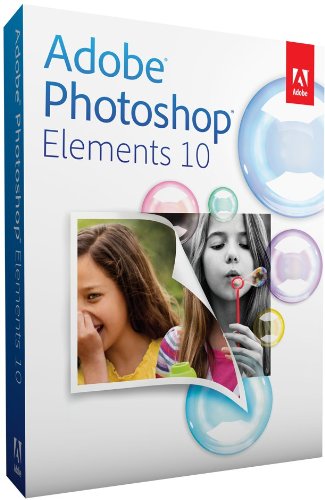
Adobe Photoshop Elements 10-the newest version of the No. 1 consumer photo-editing software-makes it easy to edit and create using automated options. With Adobe Photoshop Elements 10, you can instantly remove unwanted objects or quickly recompose your photos to any size. Or simply paint on 1 of 30 new effects to achieve just the right look. That way you'll have the perfect pictures to give as special gifts or turn into fun creations.
 |
| Adobe® Photoshop® Elements 10 |
Your treasured memories deserve nothing less than the chance to make them extraordinary, with Photoshop Elements. Make flawed photos phenomenal with a brush stroke, create perfect group shots, and easily add patterns and effects. Tell your stories in unique printed creations and Online Albums, share photos with your social network, and view photos virtually anywhere you are. Award winning for 10 years.
Adobe Photoshop Elements 10's features :
- Make every photo look its best with powerful options that take the work out of image editing
- Create photo books, cards, calendars, and other printed mementos that look just the way you want
- Quickly share your photos anywhere, including on Facebook and YouTube and in fun, interactive Online Albums
- Enjoy your photos and videos virtually anywhere you are, and get automatic online backup with 2GB of free storage
- Adobe Photoshop Elements 10 software lets you turn everyday memories into sensational photos with a complete photo-editing solution
System Requirements :
- Platform : Windows Vista / 7 / XP, Mac OS X 10.6 Snow Leopard
Download Adobe Photoshop Elements 10
By MagzSoftware
Wednesday, December 14, 2011
One of the few 3D applications designed specifically for the Mac,
Cheetah3D is a great application for its price. New users interested in the world of 3-D rendering should find a good place to start with this application. Cheetah is very user friendly, offering a Quick Start tutorial with tips and instructions on every aspect of creating 3D animated characters. Editing and creating images in Cheetah3D is easy, fun, and headache-free.
Cheetah3D is a unique alternative, providing a fairly comprehensive set of 3D modeling, animation, and rendering tools with a highly intuitive interface at a bargain price. It is also a perfect choice for 3D novices, students, and anyone else looking to expand their dimensions. With its clean interface, tool selection, and performance.
It has all the features of more complex programs with an interface that is completely Mac in design, yet easily comprehensible to even someone used to a Windows environment. The program has great tutorials along with other forms of support so that the learning curve is diminished substantially compared to other Mac 3D animation programs.
Cheetah 3D is also compatible with many other programs by allowing importing and exporting of a vast variety of file types for use with other programs. Overall, it allows users, even beginners, to become productive very quickly at a very reasonable cost. The site is user friendly in many ways from its interface, quick start tutorials and video help.
The software program has been written exclusively for Mac OS X using Cocoa. Because of this, the elegant user interface is intuitive for beginners and will feel comfortable and familiar for Mac users. It also provides the most useful features you need to get the job done and organizes them within a user-friendly interface that is powerful and quick to work with. Performing truly advanced operations will seem like second nature.
Platform Requirements :
- Cheetah3D 5.x system requirements : Mac OS X 10.5 or 10.6, G4/G5/Intel, 1024 MByte RAM, 16 MByte VRAM, Internet connection (just during registration)
- Mac OS X 10.4 (Tiger) : Mac OS X 10.4 or newer, G4/G5/Intel, 1024 MByte RAM, 16 MByte VRAM
Go to
Download
By MagzSoftware
VLC (
initially VideoLAN Client) is a free and open source cross-platform multimedia player and framework that plays most multimedia files as well as DVD, Audio CD, VCD, and various streaming protocols.
 |
| VLC media player 1.1.11 |
It is also a highly portable multimedia player for various audio and video formats, including MPEG-1, MPEG-2, MPEG-4, DivX, MP3, and OGG. It also can be used as a server for unicast or multicast streams in IPv4 or IPv6 on a high-bandwidth network.
VLC Media Player Features :
- Simple, Powerful and Fast
- Plays everything, Files, Discs (DVD, CD, VCD, Blu-Ray), Webcams and Streams
- Plays most codecs with no codec packs needed : MPEG-2, H.264, DivX, MPEG-4, WebM, WMV player
- Completely Free, 0 Spyware, Ads or User Tracking
- Works on most platforms : Windows, Linux, Mac OS X, Unix...
- Media Converter and Streamer
- This version contains various fixes, speed improvements, and translations updates.
- Benefits speed-ups from both an updated compiler (gcc 4.4.2) and codecs updates.
Download VLC Media Player for Window
Download VLC Media Player for Mac OS X
By MagzSoftware
Tuesday, December 13, 2011
QuickTime 7.0 is a powerful multimedia technology with a built-in media player. It lets you view Internet video, HD movie trailers, and personal media in a wide range of file formats. Video from your digital camera or mobile phone.
A movie on your Mac or PC. A media clip on a website. No matter what you're watching or where you're watching it, QuickTime technology makes it all possible. And it lets you enjoy them in remarkably high quality.
With its simple design and easy-to-use controls, QuickTime Player makes everything you watch even more enjoyable. Its clean, uncluttered interface never gets in the way of what you’re watching.
QuickTime features advanced video compression technology called H.264 to deliver brilliant, crisp HD video using less bandwidth and storage. QuickTime lets you do more with your digital media.
System Requirements :
- Windows XP (Service Pack 2 or later), Windows Vista or Windows 7
- A PC with a 1GHz Intel or AMD processor
- At least 512MB of RAM
Go to
Download
By MagzSoftware
Sunday, December 11, 2011
Adobe Photoshop CS5 software redefines digital imaging with powerful new photography tools and breakthrough capabilities for complex image selections, realistic painting, and intelligent retouching. It makes a great product even better. Nearly every tool a photographer could dream of is included here. Any serious Photoshop user should run, not walk, to upgrade to the latest version.
 |
| Adobe Photoshop CS5 |
Adobe Photoshop CS5 will definitely make your life easier with the content aware fill and puppet warp. The noise reduction enhancement in camera raw is also awesome with the new high ISO cameras on the market.
Adobe Photoshop CS5 has really expanded its base in the painterly market. With the new brushes and the ability to blend with layers, this has broadened the program and made it so much easier to combine image editing and painterly features.
New features are great new additions to Photoshop! The ability to make complex selections easily is fantastic and a great time saver. HDR imaging and the Camera Raw noise reduction features are wonderful!
System requirements :
Windows
- Intel® Pentium® 4 or AMD Athlon® 64 processor
- Microsoft® Windows® XP with Service Pack 3; Windows Vista® Home Premium, Business, Ultimate, or Enterprise with Service Pack 1 (Service Pack 2 recommended); or Windows 7
- 1GB of RAM
- 1GB of available hard-disk space for installation; additional free space required during installation (cannot install on removable flash-based storage devices)
- 1024x768 display (1280x800 recommended) with qualified hardware-accelerated OpenGL graphics card, 16-bit color, and 256MB of VRAM
- Some GPU-accelerated features require graphics support for Shader Model 3.0 and OpenGL 2.0
- DVD-ROM drive
- QuickTime 7.6.2 software required for multimedia features
- Broadband Internet connection required for online services*
Mac OS
- Multicore Intel processor
- Mac OS X v10.5.7 or v10.6
- 1GB of RAM
- 2GB of available hard-disk space for installation; additional free space required during installation (cannot install on a volume that uses a case-sensitive file system or on removable flash-based storage devices)
- 1024x768 display (1280x800 recommended) with qualified hardware-accelerated OpenGL graphics card, 16-bit color, and 256MB of VRAM
- Some GPU-accelerated features require graphics support for Shader Model 3.0 and OpenGL 2.0
- DVD-ROM drive
- QuickTime 7.6.2 software required for multimedia features
- Broadband Internet connection required for online services*
Download Photoshop CS5
By MagzSoftware
Saturday, December 10, 2011
Web browser is the most important software on your computer. You spend a lot of time online in a browser: Browse, chat, browse the web and blogs, email access, shopping, accessing banking services, read news, and watch videos online, usually done in the browser.
Chrome is a web browser from Google is designed to run as fast as possible: Quick starts from the desktop, web pages load in a flash, and run complex web applications quickly.
Chrome browser window effective, clean and simple and more efficient and easy to use. For your safety, you do not need to worry because Chrome is designed to provide protection from malicious program and internal phishing. Chrome can also perform updates automatically.
Chrome has many internal features that are useful, including translation into browser, apps, extensions, themes, and much more.
Go to Download for
Window (Free)
Go to Download for
Mac (Free)
Go to Download for
Linux (Free)
By MagzSoftware
Thursday, December 8, 2011
 |
| CCleaner for Mac Beta 6 |
Announcing the sixth beta release of CCleaner for Mac! This should be the last beta version before the final version. Fingers crossed! :)
Change log :
- Added Cookie management.
- Added Repair Permissions.
- Added Wipe Freespace.
- Added Crash Reporting.
- Added cleaning of Safari binary cookies in Mac OS 10.7.
- Uninstall now removes shortcuts from the Dock.
- Improved internet cache cleaning for Safari.
- Added Restore Default State option to cleaning rules.
- Improved detection of application versions.
- Several minor stability fixes.
As this is a beta version, we recommend it for advanced users only.
OS support covers Mac OSX 10.5, 10.6 and 10.7, along with all current versions of Firefox, Chrome and Safari.
Release notes :
- 6th Beta Release.
- Added Cookie management.
- Added Repair Permissions.
- Added Wipe Freespace.
- Added Crash Reporting.
- Added cleaning of Safari binary cookies in Mac OS 10.7.
- Uninstall now removes shortcuts from the Dock.
- Improved internet cache cleaning for Safari.
- Added Restore Default State option to cleaning rules.
- Improved detection of application versions.
- Several minor stability fixes.
System Requirements :
Please note this only works on Apple Macs running OSX 10.5 to 10.7 Lion
Go to
Download




 Previous Entries